Overview
A Group is a set of users that share access permissions, roles, or responsibilities within the system. It simplifies user management and collaboration by organizing individuals with similar functions or goals into a single unit. When SSO is used, these groups reflect active directory.
Prerequisite
Users must be added to MRM Vault before creating the Group.
Topic Breakdown
Add Group: Enables user to add new group in the system.
How to Add Group
- Click Administrative Options in the platform navigation menu.
- Click User Management in the submenu.
- Select the Groups tab.
- Click on ADD GROUP.
- Enter the mandatory details for group creation; Group Name, Group Description.
- Click Next.
- Choose the permissions for the group between; View, Manage, Custom for controlled access to key navigation menu.
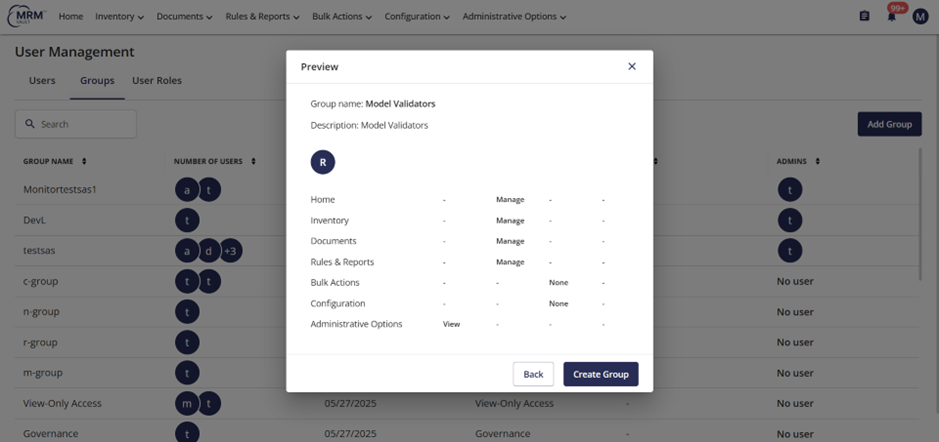
- Click Preview Screen.
- Click Create Group.
Example
Add Group
- Click Administrative Options tab on the navigation menu and click User Management in the submenu.
- Select the Groups tab.
- Click on ADD GROUP.
- Enter the details in the Create Group pop-up window; Group Name, Group Description.
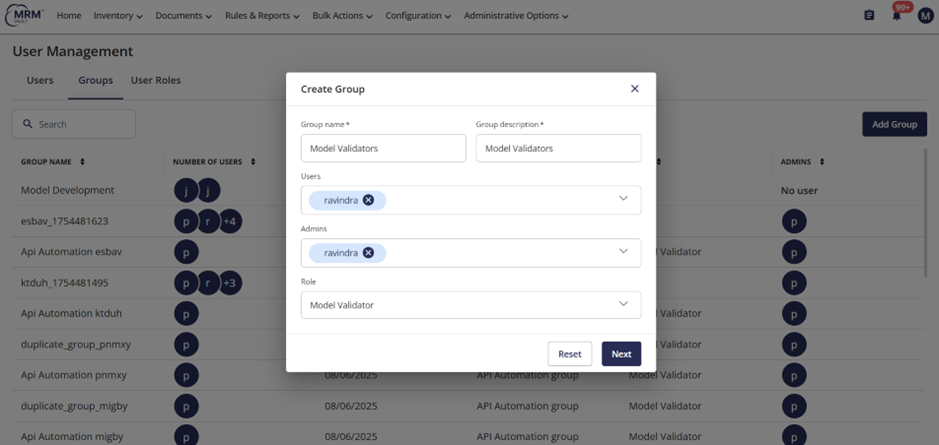
- Click Next.
- Choose the permissions for the group between the View, Manage, Custom for controlled access to key navigation menu.
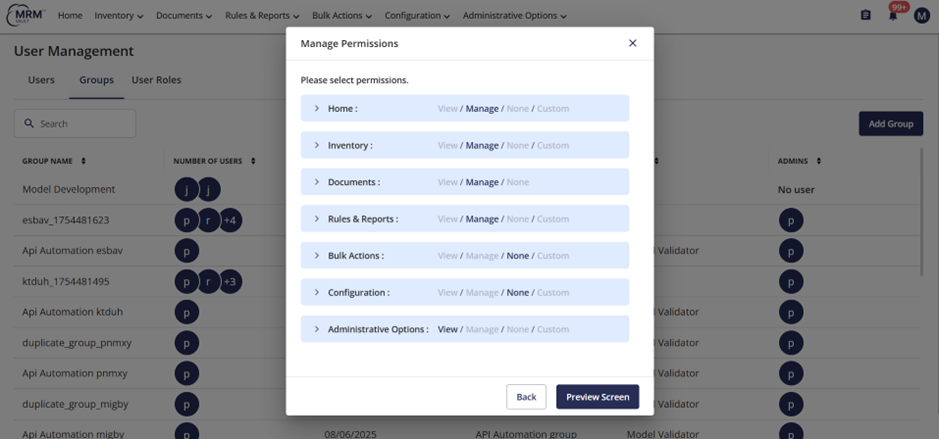
- Click Preview Screen.
- Click Create Group.
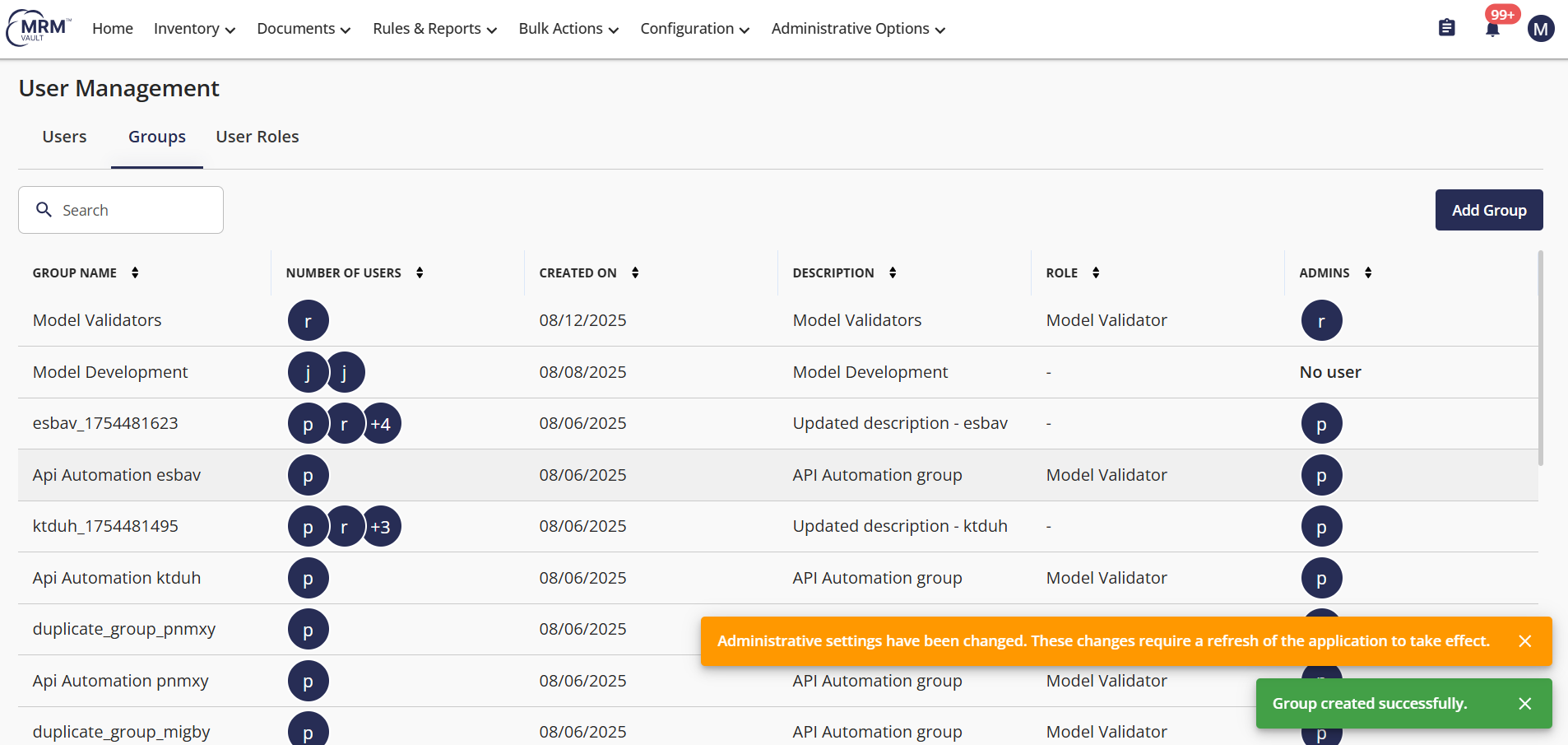
- A confirmation message will appear after the group is created, 'Group Created Successfully.'
Video
Limitations
- Group name and description fields are mandatory details to be filled.
- If SSO is used group names match active directory names
FAQs
- Q: How many users can be added per group?
A: There are no system confined limits on the number of users per group, but it is advisable to add users only as per requirement to keep the team management feasible. - Q: How many admins can be added per group?
A: There are no limitations on admins per group.
Related Topics
- Add User
- User Roles
Was this article helpful?
That’s Great!
Thank you for your feedback
Sorry! We couldn't be helpful
Thank you for your feedback
Feedback sent
We appreciate your effort and will try to fix the article